Showing posts with label Blog Guest. Show all posts

Thursday, January 10, 2013

Know Your Character Of e-Commerce Site

The business world today is closely related with the name of the Internet. Today, the Internet has become a tool (a tool) very important business for entrepreneurs. Internet is no longer a means to the world of entertainment and technology, but also become an important medium to increase business profits.

Why Internet is important? Because the Internet provides a range of facilities that can be used to improve marketing, promotion and sales of products in the absence of state limitations, time, and place. That is the reason why many large companies that build a website just to make a sale tickets Online and Promote Products they sell, why? Because the Internet has no boundaries State facilities, time, and place. Therefore, the entrepreneur who wants to succeed in this era must understand the Internet, to support their business processes. Internet can be used to support business development (usually company) or can even be a base of their business (such as eBay, Amazon, etc.).

One business application via the Internet is e-commerce. Stands for Electronic Commerce, is a transaction of purchase and sale of goods or services either products over electronic systems such as the Internet and other computer networks.

Currently, the amount of goods and services sold over the Internet is very much. The rapid development can not be separated from the proliferation of technology to conduct electronic money transfer, ranging from transfer through bank, a wide variety of assistive technologies, e-commerce, like Supply Chain Management, Internet Marketing, Online transaction processing, Electronic Data Interchange, Inventory Management System, and Automated data collection systems.


Modern E-Commerce in general is one of the stages of the sale as a whole, ie use the Web Interface to accommodate one sales stage.

In general, it does so, it's not enough. Call it transfer money (payments) that have been made between the local bank, while if you buy a multilayered goods from abroad, payment will be hard to do. Many e-commerce store that sells goods or non-physical form of the product, such as an eBook (Electronic Book), Consulting Services, and so on. In fact, a store must have a product that can be used or seen physically, like Mattresses, Pillows, Blankets, Books (Hard Copy), Clothing, etc..

Online retailers through media usually referred to as "e-tailer" to shorten his name to make it more familiar and easy to remember, then shortened again as e-tail. The big sellers were not using e-commerce now that many are utilizing this tool.


E-Commerce in terms of interested parties can be divided into two, namely:
1. Business to Business (B2B)
2. Business to Costumer (B2C)

B2B type can consist of many options of interest, such as the exchange of commodities or selected participants only, such as Personal Electronics market. E-Commerce itself is a small part of a bigger strategy than business domains on the Internet, e-business. E-Commerce is the part that serves electronic transactions or to say part of the sale of e-business.

Auto Hide the Blogger Navbar

I have already informed earlier when eliminating the blogger navbar (Navigation Bar) is one of the Blogger TOS violation, other solutions we can use the Auto hide Blogger navbar. The workings Auto hide, when visitors mouse over the top of the original navbar will appear and vice versa if the visitor mouse slider down (not in area navbar) then automatically navbar will be removed.


How to install it:

On the Edit HTML, find the code body { then put the following code above the code body {

#navbar-iframe{opacity:0.0;filter:alpha(Opacity=0)}
#navbar-iframe:hover{opacity:1.0;filter:alpha(Opacity=100, FinishedOpacity=100
)}


Good luck :)

Important Point Of A Blog

After receiving the response from the readers O-om, I continued determined to write more articles and may be published O-om each week (if allowed). Someone commented that my post could be used in marketing, it's true! Basic I did marketing and everywhere the basic name remains the same, although my offline marketing but I can confidently express tricks in the online world offline. I often make mini writing about marketing but only for my personal. It is not going to create a blog of its own, if it's just merely tips the reader is also going to be bored. Blog tips it should be coupled with coding (this is my shortcomings), such as blogs Oom really complete!

For the topic this time I will give you some important points of a special blog. What is a blog special?
That is, the blog is much appreciated both the readers and the content in response to comments that the people against him, and give a different flavor from other similar blogs. Here's an explanation of the important points / specials that you can use for your blog;


1. Insist to your right, will make you wiser.

However, you need to look at other things to be able to explain what you think is 'right' than others. Do not let anyone straighten your opinion that it is really 'wrong'. And admit your mistakes to yourself will give you a great influence on many people. It takes courage, and may invite the reactions of others. Dare to reveal the fact is the main attraction for your readers.

Provide information that is not obtained by others is a positive attitude that can take the attention of your readers. Provide complete and easily understood will make others feel having your blog (such as O-om blog ^ _ ^)


2. Giving surprise

Just like giving a gift to someone you care about, then people will feel the same to you. Or the other way is to give floral images or videos, create works that will benefit the reader. Usually great blogs provide free pdf book the subscriber by email, so that fans feel special.


3. Making people laugh while reading your blog.

This situation would make your blog readers are not rigid and not feel bored. Sometimes people really need, and you can act as a doctor who can solve their problems.


4. Create interesting posts

This Sub I have described in my previous article, you can simply re-read. If a teenage boy going to the beach, what makes it interesting? The reason only one, "the woman with bikini underwear". Long copy does not guarantee the reader will feel satisfied about your explanation, just the opposite will feel bored with complicated words.


5. Should make a distinction between the writer and the reader?

It's just a universal opinion, that most of them (the reader) to follow all about the writer's life, constantly define and redefine yourself. And you always feel safe with identity owned. Change your blog into something that defines your self to the reader.


6. Honest and courteous is one key to success in blogging.

Honestly in some ways that will make your readers feel satisfied and sometimes confuse them for giving bad comments. Polite will cover your shortcomings in interacting with readers and they will feel respected or appreciated.

One good idea is "an interesting story and got a good response from your readers."
This story does not haunt their lives, not scary or encourage them to do evil to others. Give freedom to enter the inner soul of the reader will be getting a positive response.

Function Blogger Stats

The graphical display is simple but it is comfortable to use, that's my first impression when trying a new feature of Blogger Stats. Of the many features that have been planted into Blogger, only this time I felt everything was complete. If before I had to log back and forth to Google Analytics, this time it all looks simple because they most important features of Google Analytics are embedded into Blogger Stats feature that we can see directly through the dashboard page. oh yes .. to be able to try out this feature because it is still in the testing phase, the peer can access them through the pages of Blogger In Draft


Let more easily learn all the features, here I try to describe one by one:

1. Blogger Stats Overview

This feature allows us to see the statistics of the number of visits globally. With the statistics display is divided into 4 sections, we as admin of course easy to analyze traffic in real time, view and analyze visitor interest from any visitors to our blog come from. For more specific we can choose the time penanyang available to multiple tabs, can be in days, weeks, months or the total time.


2. Blogger Stats Post

Not need to be explained at length to post statistics, we would have understood the intention of the publishers is, in short we can see right post or article where the most demanding visitors. Well if you want to analyze more observant, post statistics with the greatest value not only because it contains an interesting article or post only published, but also targeting keywords corresponding large berpengarur know :) more kren if our blog specifically for the sale, of course, we could easily mengalisa what goods are most sought buyers :)


3. Blogger Stats Traffic Sources

How do visitors find our blog? kujungan traffic is where everything is recorded and displayed in the form of reports. There are 3 parts that we can anlisa ie, either through Referring URLs, Referring Sites, and Search Keywords.


4. Blogger Audience Stats

It is interesting if we could easily mengalisa from which countries the end we came from, Web Browser and SO whatever is most widely used to display our blog page. Remember the visitor is king, of course we hope to provide the best service to them.


One thing I think something is missing or deliberately not showing, why do bloggers only display statistics for the number of pageviews without showing the number of visitors? or indeed the number of visitor statistics directly into djumlahkan with pageviews. Well who knows ... aja awaited further news ... :)

Tuesday, January 8, 2013

5 Simple Tips Enhance pageview Blog

What is a pageview? Pageview is the average number of our blog pages are accessed by one visitor at a time kunjungan.Pageview is very important, because you can measure how bermanfaatkah or how menarikah your article for your readers, if you are high despite pageview visitor who still lack it means the articles that you write enough benefits and draw attention to this pembaca.Hal were by my personal experience you can add to the spirit of the blog menulis.Coba you imagine when you have a high traffic plus your articles interesting and rewarding been ascertained pageview very high you will also likely be able to match this blog might even get through this My Article


I would give it 5 simple tips that can improve your blog pageview:


1. Updating Articles Every Day.

Why should update articles every day? Anything to do with pageviews? Updating articles every day will surely add a lot of articles that you write on a blog anda.Bila one day there was a visitor who visit your blog, when the visitor is reading an article you and he get the benefit of your article, he'll find articles -Other helpful articles on the blog that he read articles anda.Setiap will increase your pageview number.


2. Make it interesting Article Title

Do not let your readers miss an important article just because the title is less attractive article titles menarik.Dengan likely visitors curious to read the article.


3. Submit your article to Social Bookmark

Surely you already know what it can bring social bookmarking bookmark.Social banyak.Ada 3 traffic social bookmarking site which I use and is a special blog that is Indonesian language, lintasberita.com, infogue.com and antarblog.com.


4. Attach Important Articles in Sidebar

Take advantage of your sidebar to provide convenience oada visitors to navigate blog anda.Maksudnya attach the articles that you think is useful or interesting sidebar anda.Misalkan popular article from your blog, or article which is important to read your visitors.


5. Attach Related Articles below Every Post You

Pointless is similar to installing an important article in the sidebar, but usually related article is a kategory with articles being read by visitors tersebut.Ketika finished reading the article and then visitors see related artikle just below post is not likely visitors will continue to be interested to read other articles.

Now you look at the composition of the 5 tips I've written in atas.Pertama you must update every day article to increase the number of articles on your blog more and more with the title of each article attracted the attention of visitors, after that you submit your articles to social sites bookmark to get visitor.Ketika visitors interested in visiting and reading one of your articles was helpful or interesting then the visitor will also find useful or interesting article by searching on the sidebar or on the related posts that you put right under your post. Hopefully useful.

Search engines Zuula addictive


For a week now I rarely use the Google search engine, because now more enamored Zuula, yes Zuula .. weird huh name :) but do not underestimate his ability as a search engine, not one first Zuula not a single search engine for Zuula does not have its own index database.

This search engine is smart enough that he can take advantage of several well-known search engines as enginenya, diantanya Google, Yahoo, MSN, Gigablast, Exalead, Alexa, Accoona and Mojeek. So, you can kind of portal Zuula is useful in facilitating pencaian.

Zuula certainly gives us a quick easy to search, mainly we just make the shift tab to perform a search to other search engines, other advantages which Zuula meta search engine will display a separate search in different categories, namely web, images, video, news, blogs, jobs. Visit here http://www.zuula.com


Sunday, January 6, 2013

AVG Security Toolbar

For my friend lovers AVG Anti-Virus would have known reliability and advantages of this anti virus when compared with other products. Now, the latest version of AVG, AVG Anti-Virus 2011 offers better security protection including protection when downloading files, while chatting, even when we are out shopping or doing banking transactions online. 


AVG Security Toolbar

Free Edition version of his course already has features like a pretty good protection Anti-Virus, Anti-Spyware, Link Scanner, Anti Rootkit, Email-Scanner, PC Analizer, Ressident Shield, Update Manager, and Identity Protection, especially if we using AVG 2011 full version with more complete feature. AVG Price as of this writing published is Rp434.000, -

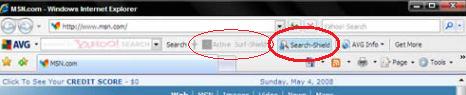
The two options that we can choose when the installation process is the installation of AVG 2011 AVG Security Toolbar and Yahoo as the default searh Box. If we approve it by checking the option, then after the installation is complete, the particular browser Mozilla Firefox and Internet Explorer will display the AVG Security Toolbar can be utilized according to its function.

Features AVG Security Toolbar:

1. Can find out how safe and how bahayakah sites we visit through the "Page Status".

2. Get real-time information about the business world in the form of news, sports and others through the "News" or "AVG News".

3. Can find your incoming email without having to open your email account. For now only supports Gmail, ymail, and Hotmail. Through the "E-mail Notifier". Number next to the icon is the number of new emails that have not been opened. Notifications can also be seen in the lower right corner of the Taskbar. To be able to see the status of emails, it must first be done konfidgurasi email account.

4. Can know the weather and temperature of a place through the "Weather" by defining what we need to know the state of the city's weather is.

5. Can access the Facebook page and find out the status Facebook via the icon "Facebook" like Message, Friend Requests, Pokes, and others. Thus the Log In and Log out to do through this toolbar. Notifications can also be seen in the lower right corner of the Taskbar.


With the installation of AVG Security Toolbar least be easier for us to know the actual world news, weather, incoming email, Facebook page through a notification on the Toolbar or Popup window in the lower right corner, and without having to open the URL directly.

Wednesday, December 19, 2012

7 Ways to Increase Blog Visitors


7 Ways to Increase Blog Visitors
If you want a successful business on the internet, one of the conditions is to have a site or blog that has a lot of visitors (high traffic). With the number of visitor traffic, your chances for greater success.

Here are 7 Ways to Improve and Increase Your Blog Visitors

1. Use a domain name that is easy to remember

If you want to increase traffic, try to have your own domain name. If you want your site or blog with great success, then the first thing you notice is your name. Same with if you want to be a celebrity, your name should be easy to remember.


2. Diligent update post

One of the most important tips to increase traffic to your blog is to write often. People will be happy to visit your blog if they always get a new article, which is fresh, fresh. They will not like it, even disappointed, if it comes to your blog and just offered the old articles. It was probably like stale fish offered. So if you want your site to have loyal readers, who regularly visited, frequently update your blog. My advice, should be at least 2-3 days there is a new article. Or, if you can every day even nicer.


3. Frequently commented

To get traffic to your blog, one of the other ways that can be used is often commented on another blog. By the time you write a comment on another blog, of course you will be asked for the URL (address) of the site / blog, is not it? Well, from where traffic is coming. Make sure you include your blog URL correctly, or the URL of the blog post you want to promote it properly. I personally think that this effect is small, but worth a try.


4. Use Feedburner

To increase traffic to your blog, any other tips you can do is to utilize the services of feedburner.com. Take advantage of free services to increase the number of feedburner.com RSS reader of your blog, or even to facilitate the readers who want to enjoy your blog via email. I myself use Feedburner to arhamvhy.blogspot.com, and the results for every post I could get tens or even hundreds of readers in an instant (and free).


5. Submit your article to Social Bookmark

Do not underestimate the power of viral marketing! Submit your articles to various social bookmarking services such as del.icio.us, digg.com or technorati.com or to increase your traffic. Whenever anyone done searching a topic corresponding to the articles you submit to these sites, you have the opportunity to get an extra visitor traffic is free.


6. SEO Optimization

Get many more free traffic from SEO! Learn SEO (not described in this article) and apply it to your blog / site, and even for the pages on your site / blog. Traffic from SEO is highly qualified and targetted, and 100% free. My own experience, for some domains I have, I can produce about 300-400 visitors per day for free just by relying on SEO alone. Free traffic, free money. So do not waste it.


7. Exchanging links

Exchanging links even looks old-fashioned, but I proved myself that this is very effective. My blogs can get several tens (not hundreds) of new visitors a day just from the many exchange links with other blogs. If you are really serious business, do not waste a single visitor. For who knows a visitor you consider "frivolous" (not significant) is actually visitors to "take the money" for you. Never underestimate the little things.

7 Best Free Blogging Site and Famous

10 Situs Blogging Gratis Terbaik dan Terkenal1. Blogger

Blogger is a blog publishing service that allows private or multi-user blogs. Blogger created by Pyra Labs, which was bought by Google in 2003. Generally, a blog hosted on Google in the subdomains of blogspot.com. As of May 1, 2010 Blogger allowed users to publish blogs on other hosts, via ftp.


2. Wordpress

WordPress is a free weblog hosting provider owned by Automattic which debuted in beta on August 8, 2005 and opened to the public on 21 November 2005. Powered by the WordPress platform. Allow us financially by paying for the upgrade to be members of the "VIP" and the service is bounded on the Google Adsense ads.

3. Typepad

TypePad is a blogging service from Six Apart Ltd. company. which was launched in October 2003, TypePad platform Six Apart Movable Type, and share technology with Movable Type such as templates and APIs, but marketed for non-technical users and includes additional features such as support for multiple authors, photo albums and Moblogging.

4. Live Journal

Live Journal is a virtual community where Internet users can start a blog, journal or LiveJournal blogging book harian.Fitur including those found in similar blogging sites (multiple authors, commenting, calendars, and polls). However, LiveJournal differentiates itself from other blog sites with nice features like creating your own community and some social networking features to connect with social networking sites.

5. Blogetery

Blogetery offer free blog hosting powered by the latest version of WordPress. You can easily publish text, podcasts, images, media files and more with just a click of the mouse.

6. Blogsome

Blogsome is easy to use, select the type of WordPress themes, upload photos, personalize your design and start blogging now. You can also see examples of recent posts and blogs. blogsome.com also offers a forum where you can find all kinds of answers, read the documentation is important in relation to the service and terms of use, and you have to ask the question who is really smart to be a part of this community.

Site Blogsome goal is to offer a clean, so when users are known to use copy and paste content from other sites as a means of generating blog traffic, they simply delete this blog and stop the service.


7. Edublogs

Edublogs is a blogging service in the field of popular education in the world. Edublogs lets you easily create and manage a blog for students and teachers, to quickly customize designs and include videos, photos and podcasts easily and safely.

7 Email Free Create Your

7 Email Free Create Your1. Gmail

Gmail (Google Mail) - Google's free email service. Gmail is one of the products for email, chat and social networking. email storage with a capacity large enough. allows you to collect all your messages, and Gmail's simple really easy to use allowing you to find them and see them in context without effort. POP and powerful IMAP access bring Gmail to any email program or device you use. Gmail puts contextual advertising next to the emails you read.

2. Yahoo! Mail

Who is not familiar with the Yahoo! Mail where your email program on the web with unlimited storage and RSS news feeds, SMS texting and instant messaging. Yahoo! Mail is designed to be easy to use and possess the features of a bus tambhnyan sesuiakan folder with your kebuthan. Yahoo! jugs have filter spam mail and viruses so it is very safe. There are also bins to accommodate fitus email you delete.


3. AIM Mail

"AIM Mail - Free Email Service" Heinz Tschabitscher. AIM Mail, AOL's free web-based email latyanan, with unlimited storage online storage, very good spam protection, easy to use.

Unfortunately, AIM Mail does not have a sufficient productivity (no labels, smart folders and message threading), but it has the function of IMAP (and POP) access.


4. Windows Live Hotmail

Windows Live Hotmail is a free email service that gives you 5 GB (and growing) of online storage, fast search, so security, POP access and an interface easy as a desktop email program. When it comes to organizing mail, Windows Live Hotmail does not go beyond folders (to save searches and tags, for example), then it can be more effective spam filter, and IMAP access to all online folders would be nice.


5. GMX Mail

"GMX Mail is a reliable email service, has protection from spam and viruses, and storage of 5 GB. Allows you not only through the web but also via POP or IMAP from a desktop email program. More and smarter ways to organize mail could be nice .


6. FastMail Guest Account

FastMail is a free email service with IMAP access, convenient features and a stellar web interface. Pity FastMail does not offer spam filtering is really effective for a free account, and more storage space for all users.


7. Gawab.com

Gawab.com very, fast, stable and very useful free email service with 10 GB of memory, POP and IMAP access are also many web-based goodie. Unfortunately Gawab.com 's does not give you access to the label, and the search for the missing messages.

7 Steps to Powerful Backlink Building Blog

7 Steps to Powerful Backlink Building Blog
Backlinks are links that are on another website and leads to your website. Backlink is very useful and a great influence on SEO. Search backlinks in SEO categorized as Off Page Optimization. The more backlinks your website, the more you will easily teranking on google.

Do you want to improve your blog in Google? You can give your blog a big step by backlinking with other websites. I know this is not new, but so many people forget to build strong and relevant backlinks to their websites.


Here are 7 Steps to Powerful Backlink Building Your Blog

1. Wear A BackLink Tool

In order to build backlinks to your blog, you'll need a backlink tool or service that will help you find backlinks. There are plenty of great tools out there to reduce the workload of finding backlinks. BackLink Agent is easy to use, you just enter a keyword and select the type of link you want to find - and BackLink Agent does all the work for you!


2. Relevant and Related Websites

It's very important to only link to relevant or related websites. If your blog is about Water Skiing and you're backlinking with websites that are about Body Building - there is no relevant connection or related. Visitors will be turned off because they did not find a relationship between the blog and their website.


3. Directory Site

If you want to build backlinks blog backlinked then get your blog in the directory is a hot idea. Directories such as its category www.DMOZ.org really deep and subcategory system - so you can get really specific about where you want to build backlinks to your blog.


4. Submit Url Site

As mentioned before, BackLink Agent has a tool to help you find websites that accept url submissions. So what will you do is search with one of your keyword phrases, like 'jet boat water skiing and see what websites are available. Now you can submit your url to them and create backlinks to your blog.


5. Active in Forum

Forums can be an excellent tool for building blog backlinks. What you do is use BackLink Agent to search the forum concerned. I recommend adding your blog url as a backlink in your forum signature. So every post you make has a backlink to your blog. A good forum post can send 100 visitors to your blog in a week, or even daily!


6. Create Articles

If you have been writing articles and want to get indexed faster by Google or ranked higher - backlinking your blog to your new article will help you. Just write a teaser article, under 300 words and add a few links to new articles on your blog post.


7. Ping Your Backlinks

Once you've sniffed backlinks to your blog with BackLink Agent, ping your article or blog post (or blog RSS feed). Just do a Google search for 'blog ping service there are many out there.


So there you have it! Now you have the knowledge about SEO and you can go to find backlinks, your blog or website landing page. Backlinks are the source for promoting your website. Build backlinks can be so easy, and the benefits of your blog!

7 Ways to Create a Professional Blog


7 Ways to Create a Professional Blog
1. Do check the blog

Check your blog to ensure that the blog can be published anywhere. Such checks in different browsers, OS, phone, and some kind of internet speed. Make sure if your blog loaded perfectly in all flatform. Blogs I have my check in Mozilla Firefox, IE8, IE9, Google Chrome, Opera, Opera Mini, Safari, various cafes, MacOS, and various smartphones.

2. Choosing the right color for blog

Customize the colors to the theme of your blog. For example, the green color is more appropriate for green themed blog or ornamental plants. The black color is more appropriate for a blog about crack or hacking. But, do not use colors that are too flashy and make writing difficult to read. It makes your readers away due to illness his eyes when he saw your blog.

3. Rule install widget

Install the widget in order to enhance your blog is very nice. But you should install as needed so as not even a 'backfire' as your blog becomes even harder to load and visitors to be afraid. One is the time widget, counter the number of visitors, widget streaming songs, and IP tracking visitors. Do not also put the widget that has nothing to do with the theme of your blog. Install the widget to fit your needs and your blog readers.


4. Do not just copy and paste

Actually, one should not anyway if you know Copas ethics as including the source and fix the errors in the article. Usually people are forced to copy and paste because it does not have the idea to create a new article.


5. Check the dead link

Links are damaged or can not be opened very unpopular readers and search engines. Therefore, check all the links on a regular basis. There are many tools that can do this. You can find this tool on Google.

6. Do not be isolated

Do not let one article on your blog an isolated or hard to find. It was made worse reputation in the eyes of search engines. Make them affordable by making Sitemap (Table of Contents) or create a widget Related Post (Related Articles).

7. Routine updates

Quality blog article is a blog that is updated regularly. Yes updated at least once a week. Search engines and loyal customers of your blog would love it if you are diligent update.Seperti blog this blog is always updated daily with interesting articles favored visitors.